


Want to refresh your TikTok profile but don't know how to delete your video history? This article will guide you on how to delete your TikTok history, helping you create a cleaner profile!
 |
The easiest way to delete your TikTok activity log.
Deleting your TikTok activity log not only makes your profile look cleaner and more professional, but also allows you to share more engaging content. Regularly cleaning up your profile is the quickest way to impress your followers and build a professional personal brand.
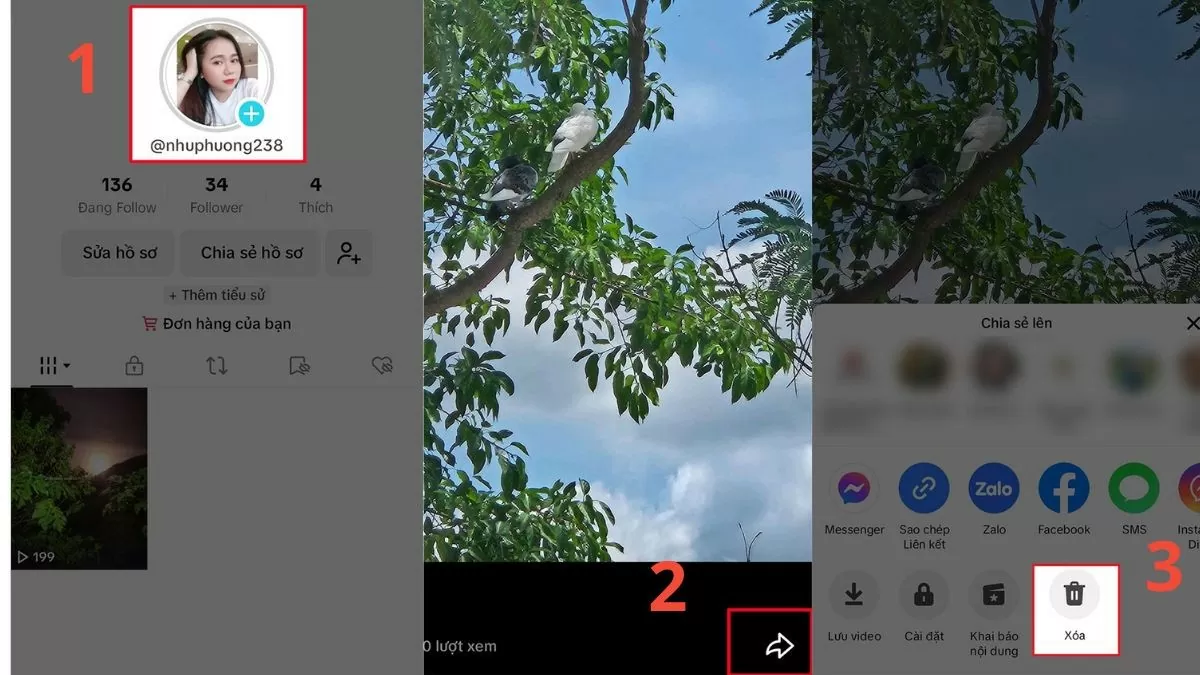
How to delete recently posted TikTok activity logs
If you accidentally uploaded the wrong video, follow these instructions to delete it:
Step 1: Go to your profile and open the video you just posted in your journal.
Step 2: Click on the small arrow icon in the upper right corner of the video.
Step 3: Select "Delete" and confirm to complete the deletion of the video on TikTok.
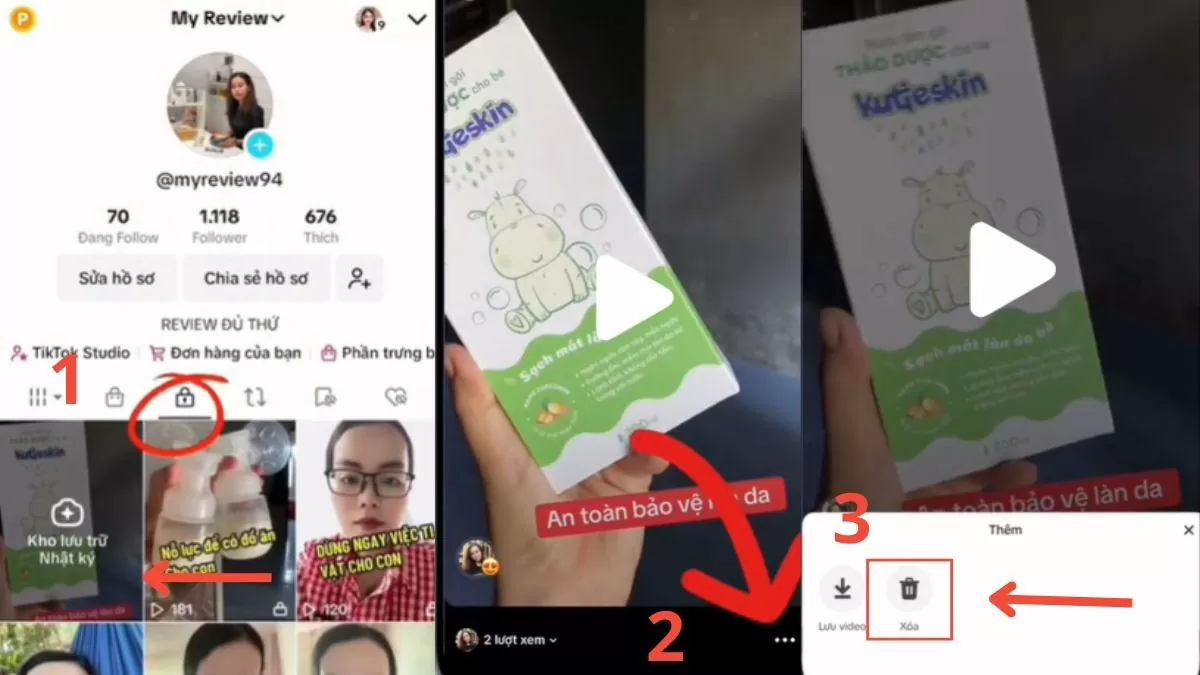 |
Delete TikTok logs from archive
Users can easily refresh their profile by deleting videos from their TikTok archive:
Step 1: Access your profile page and open the drafts section.
Step 2: Select the video you want to delete, then tap the three-dot icon on the right.
Step 3: Finally, select "Delete TikTok logs in archive" and confirm to complete.
 |
Thanks to detailed instructions, deleting your TikTok profile is incredibly easy. This not only keeps your profile neat and professional but also helps build a trustworthy image. Try deleting your TikTok video profile now and experience the difference!
Source































































































Comment (0)