

EPS files are a format used to store and exchange vector artwork. This article will guide you on how to quickly open and convert them to PSD and PNG!
 |
EPS files are a graphics format developed by Adobe that stores images and drawings as curves and mathematical points. This keeps images sharp even when enlarged multiple times.
Besides understanding the concept of EPS files, designers also need to know how to convert EPS to other formats such as PSD and PNG. Below are instructions on common methods for effectively performing this conversion.
Guide to converting EPS files to PNG, EMF, and SVG online.
You can also convert EPS files to PNG, EMF, or SVG using free online conversion tools such as Zamzar, Online-Convert, or Convertio.
Here's how to convert an EPS file using Convertio:
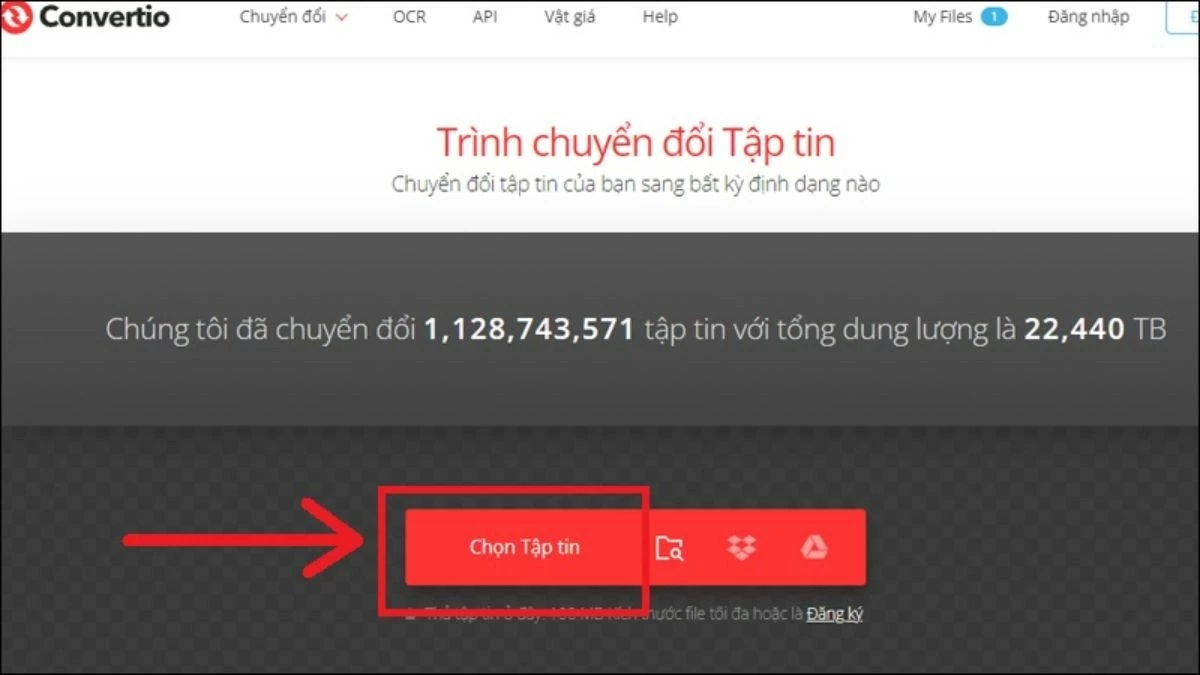
Step 1: Access the Convertio website to convert your EPS file. On the main interface, click the "Select file" button to begin uploading your file.
 |
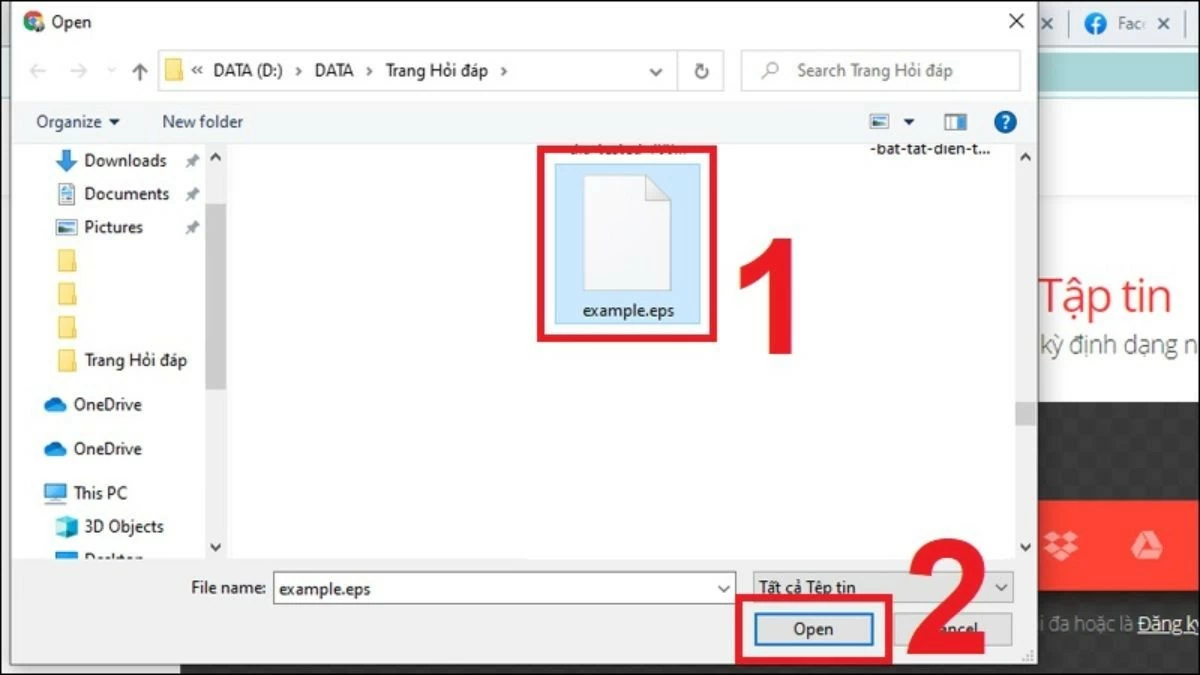
Step 2: Select the EPS file from your computer and click "Open" to upload the file to the website.
 |
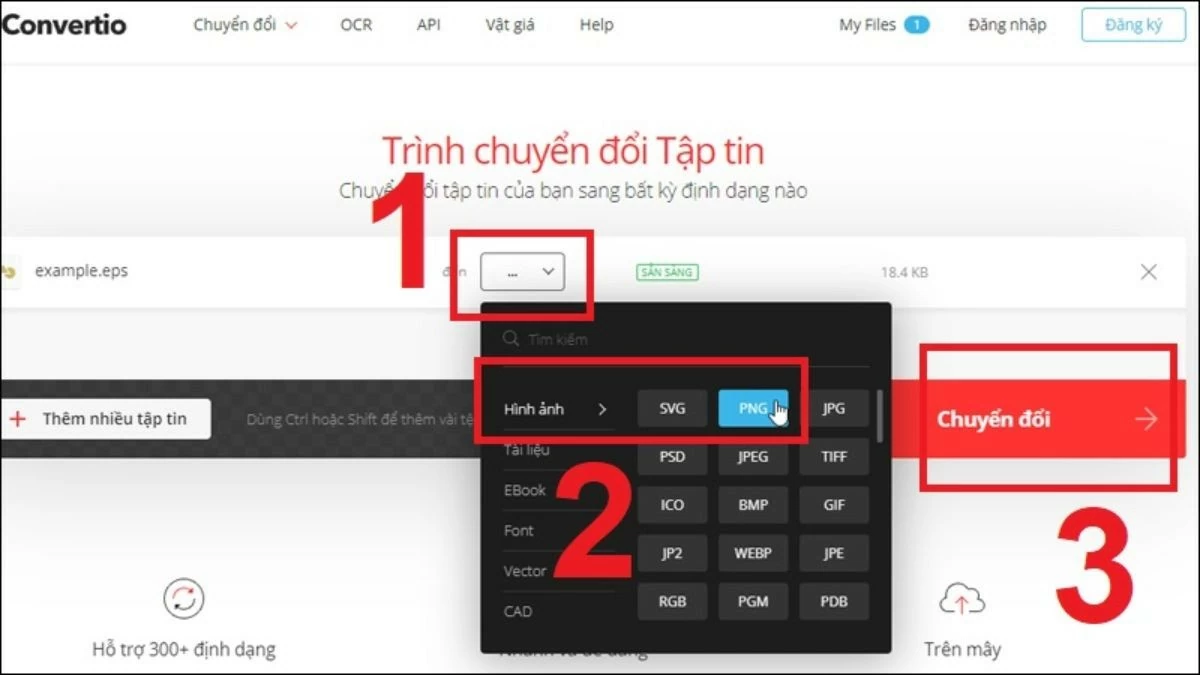
Step 3: Select the output format you want to convert the EPS to and click the "Convert" button. The website will process and export the file in the format you selected.
 |
Step 4: Once the conversion is complete, click the "Download" button to save the new file to your computer.
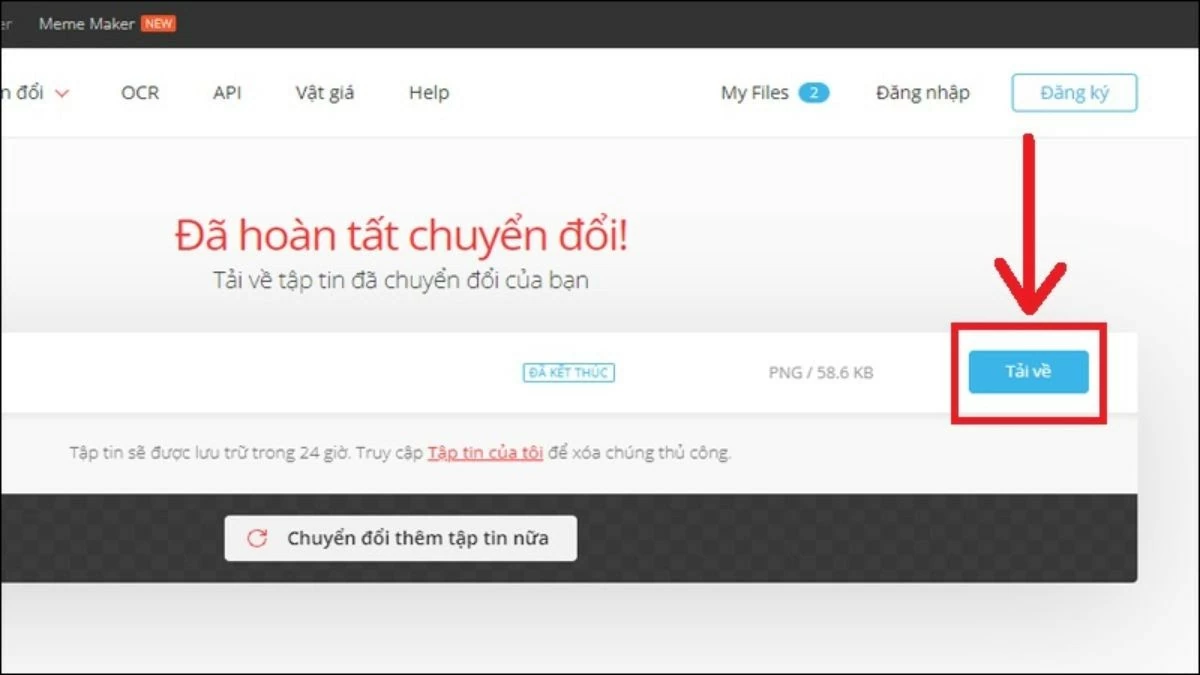 |
Guide to converting EPS files to PSD using AI
To convert an EPS file to PSD format using Adobe Illustrator, you can follow these steps:
Step 1: Open the EPS file you want to convert in Adobe Illustrator.
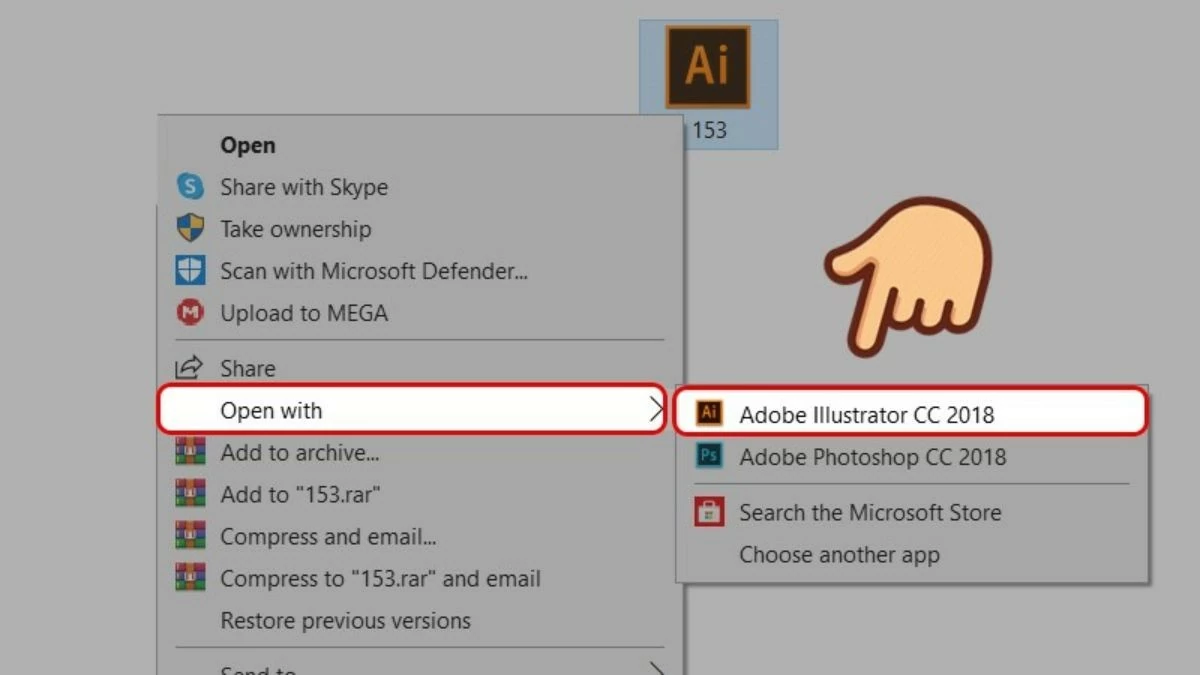 |
Step 2 : In the Adobe Illustrator interface, go to the "File" menu, select "Export," and then click "Export As…".
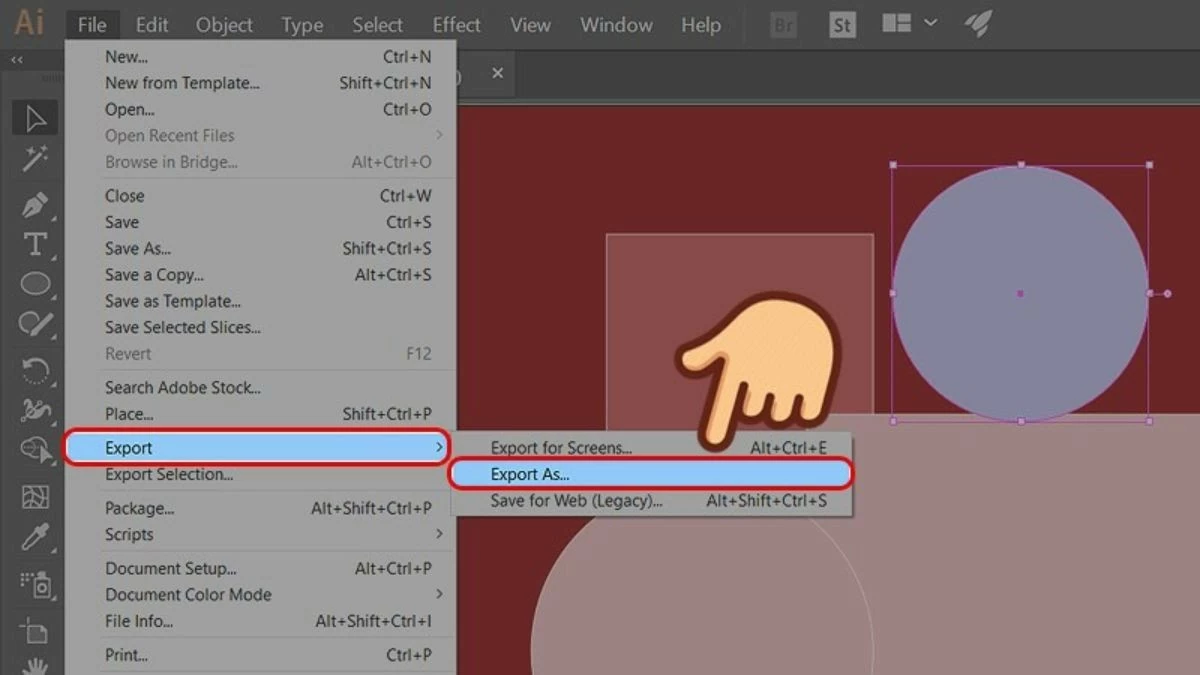 |
Step 3: In the "Export As" dialog box, select "Photoshop (*.PSD)" from the "Save as type" list and click "Export".
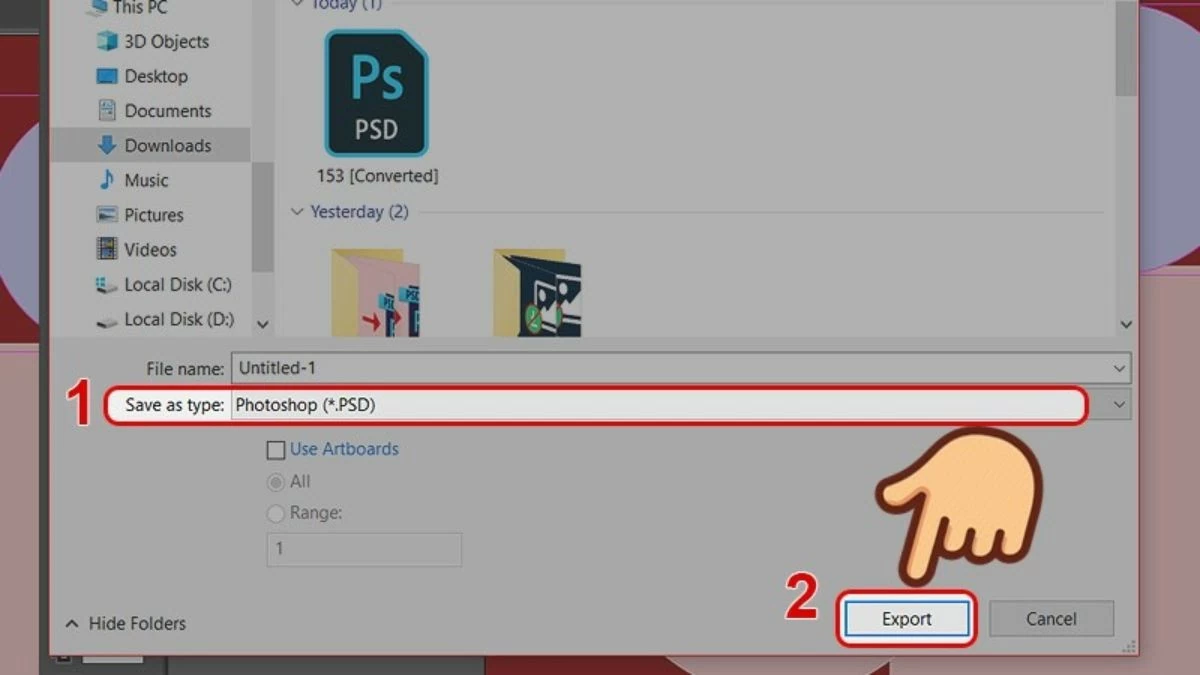 |
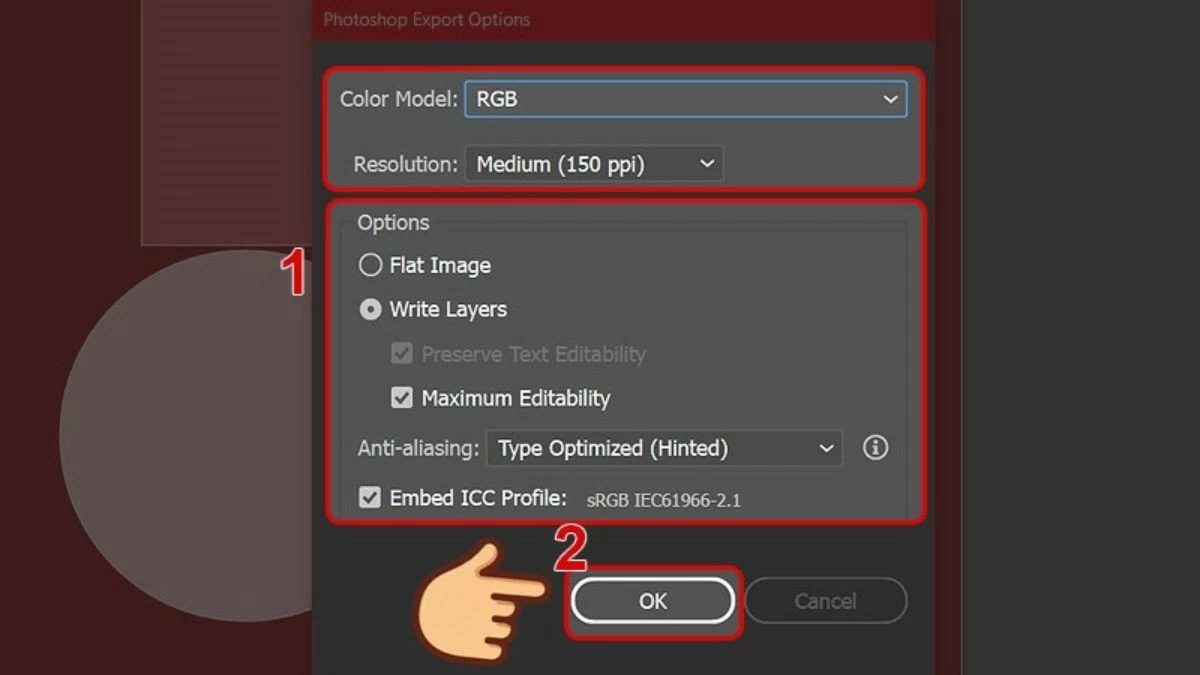
Step 4: Customize the settings in the "Photoshop Export Options" window, such as "Color Model" and "Resolution," then click "OK" to complete the file export.
 |
This article explains the definition of EPS files and provides instructions on how to open and convert them. Mastering EPS will help you work more efficiently with design software and create high-quality products. Besides information about the EPS format and how to convert it to PSD and PNG, there are many other interesting things about this format that you shouldn't miss.
Source: https://baoquocte.vn/mo-va-chuyen-file-eps-sang-psd-png-nhanh-chong-va-tien-loi-282712.html





















![[Photo] Prime Minister Pham Minh Chinh holds a phone call with the CEO of Russia's Rosatom Corporation.](/_next/image?url=https%3A%2F%2Fvphoto.vietnam.vn%2Fthumb%2F1200x675%2Fvietnam%2Fresource%2FIMAGE%2F2025%2F12%2F11%2F1765464552365_dsc-5295-jpg.webp&w=3840&q=75)














































Comment (0)