

 |
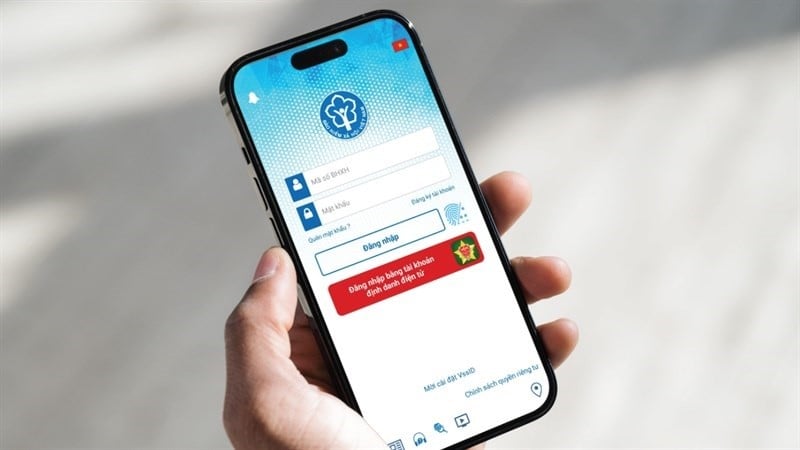
This article will guide you on how to log in to VssID using your VNeID account with just a few simple steps.
To log in to the VssID app using your VNeID account, you must meet certain conditions. Your account must be registered with a level 2 electronic identity verification system. You must also have installed and updated to the latest versions of both the VssID and VNeID apps on your phone.
After fulfilling the above conditions, please follow the steps below to log in to VssID using your VNeID account:
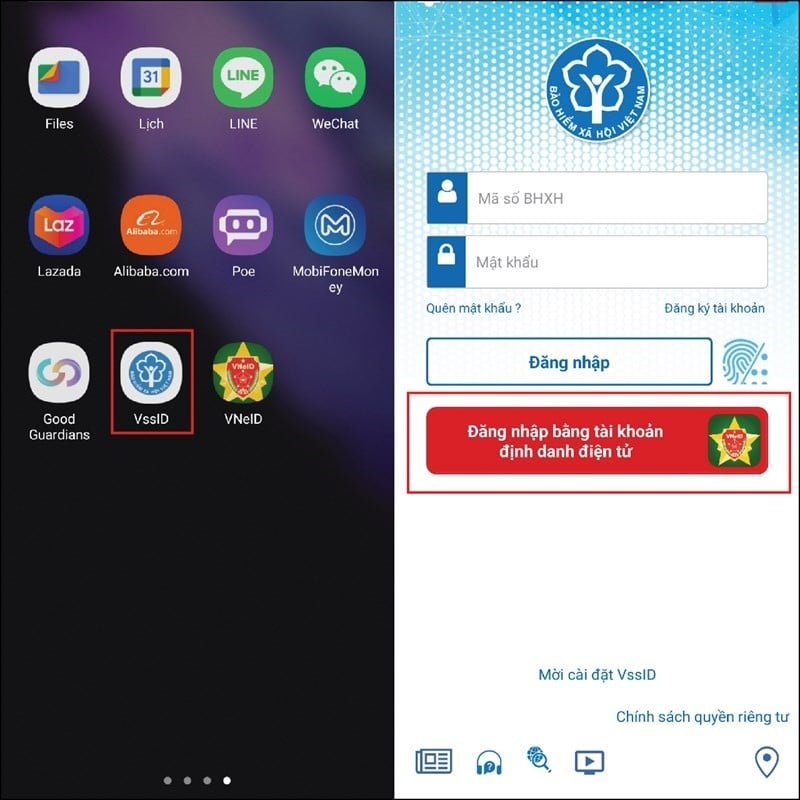
Step 1: First, access the VssID application on your phone. Then, tap on "Log in with your electronic identity account" to log in.
 |
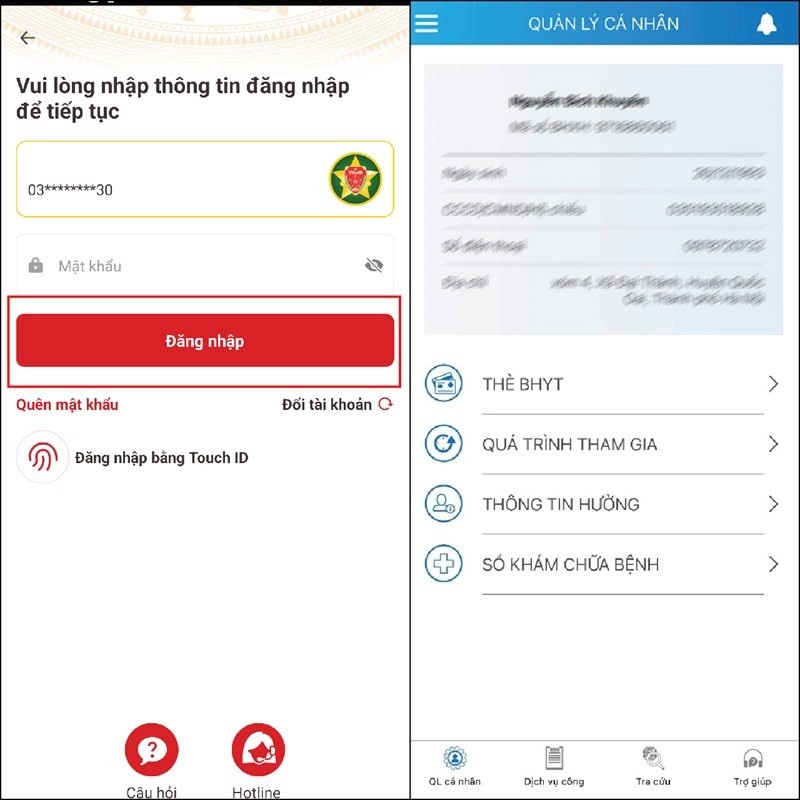
Step 2: The screen will then take you to the VNeID application as shown below. Next, enter your VNeID account password and press Log in. After you have successfully logged into VNeID, the screen will immediately redirect to the VssID application, indicating that you have successfully logged in.
 |
That concludes our guide on how to log in to VssID using VNeID on your phone. We hope you succeed.
Source


![[Photo] Two flights successfully landed and took off at Long Thanh Airport.](/_next/image?url=https%3A%2F%2Fvphoto.vietnam.vn%2Fthumb%2F1200x675%2Fvietnam%2Fresource%2FIMAGE%2F2025%2F12%2F15%2F1765808718882_ndo_br_img-8897-resize-5807-jpg.webp&w=3840&q=75)






























































































Comment (0)