When you lose access to your Facebook account, you need to recover it quickly to protect your personal information. Here are 10 ways to recover a hacked or disabled Facebook account!
 |
10 simple ways to recover and get back your Facebook account.
One sign that your Facebook account may have been hacked is when you encounter login errors. This happens when hackers change information such as your email, phone number, or password. In some cases, you may be unable to access your account because you've forgotten your password or your account has been disabled. Below are 10 of the most effective ways to recover a hacked or disabled Facebook account.
The quickest way to recover your Facebook account when your email address is hacked.
When a hacker changes the email address on your account, you will be unable to log in. If this happens, follow these steps:
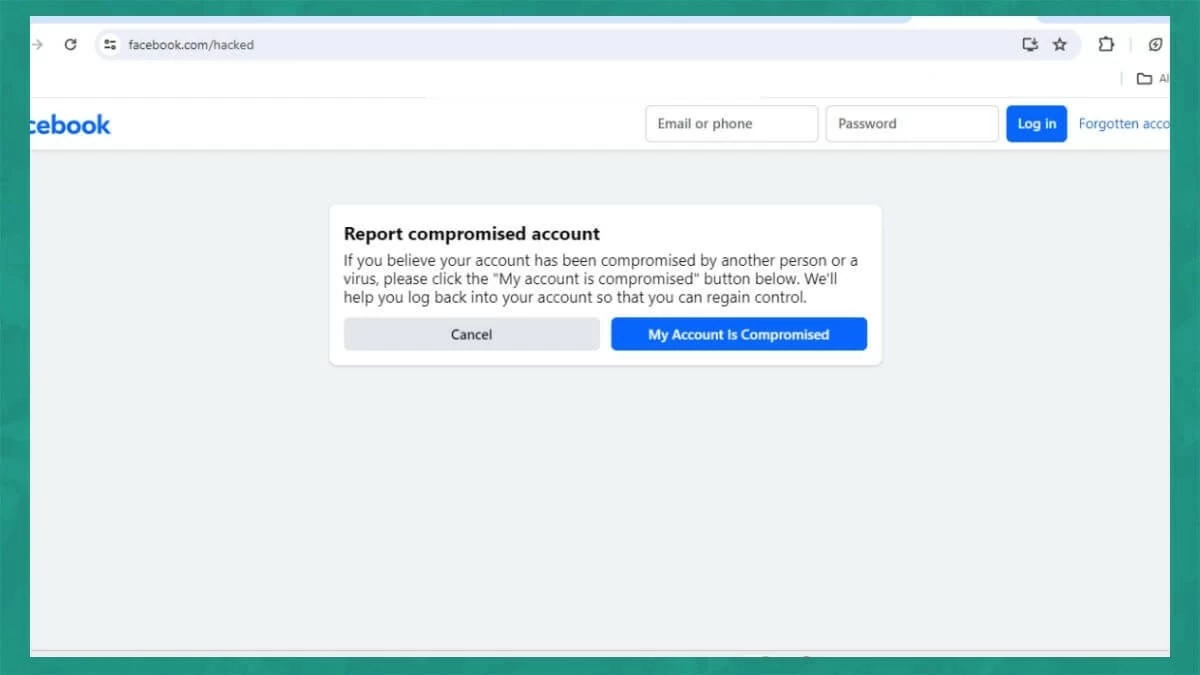
Step 1: First, go to the link https://www.facebook.com/hacked and select "My account has been compromised".
 |
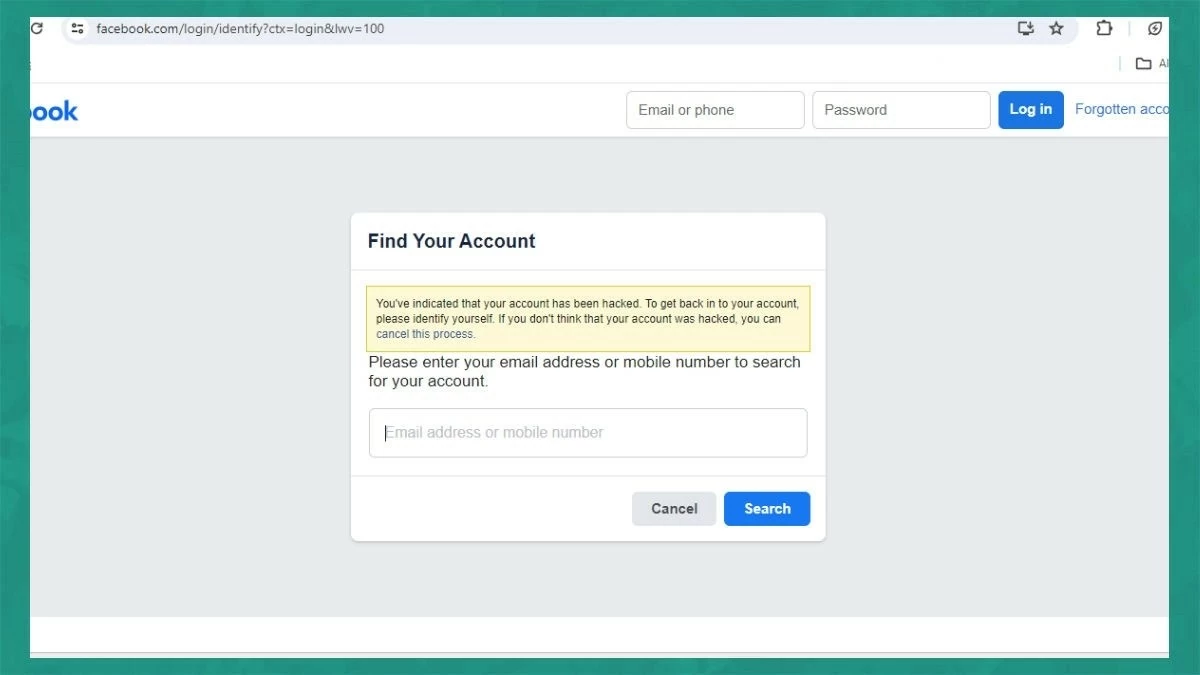
Step 2: Enter the email address or phone number you used to register your Facebook account in the blank field, then click "Search".
 |
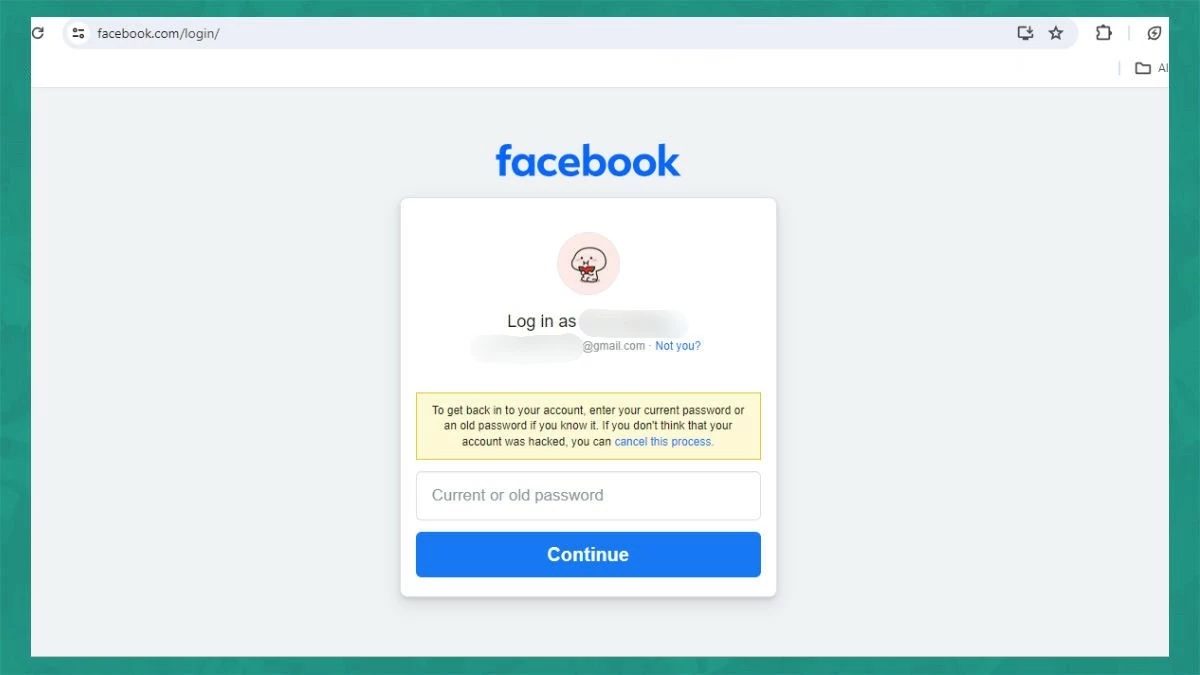
Step 3: The account login interface will appear. Enter the most recent password you used and click "Continue".
 |
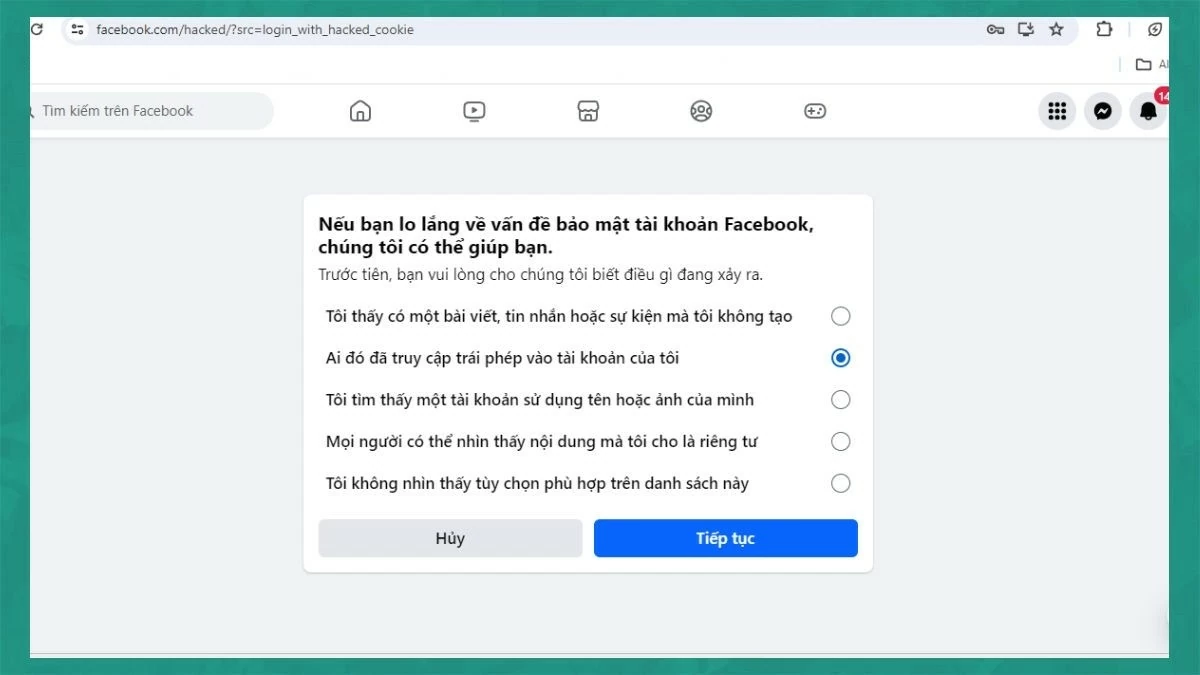
Step 4: Next, click on the line "Someone has accessed my account without authorization." This will notify Facebook that your account has been compromised.
 |
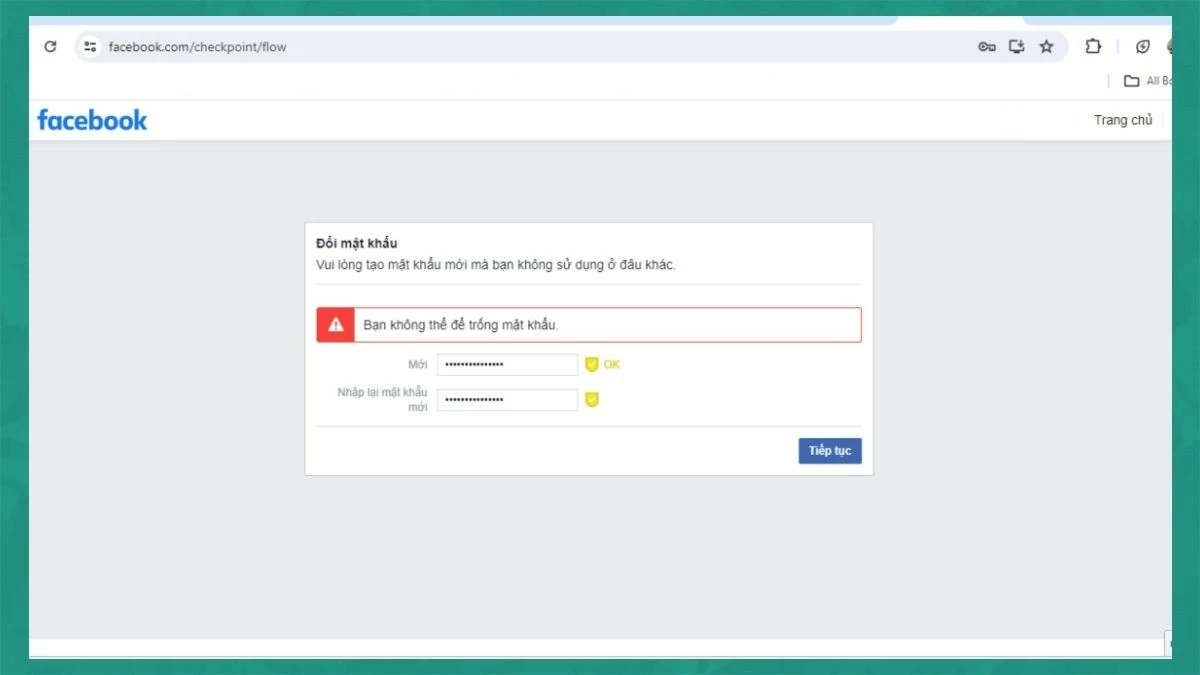
Step 5: The system will scan and guide you through changing your password. Then, click "Continue," enter your new password, and click "Continue" again to complete the process.
 |
A simple guide on how to recover a permanently locked Facebook account.
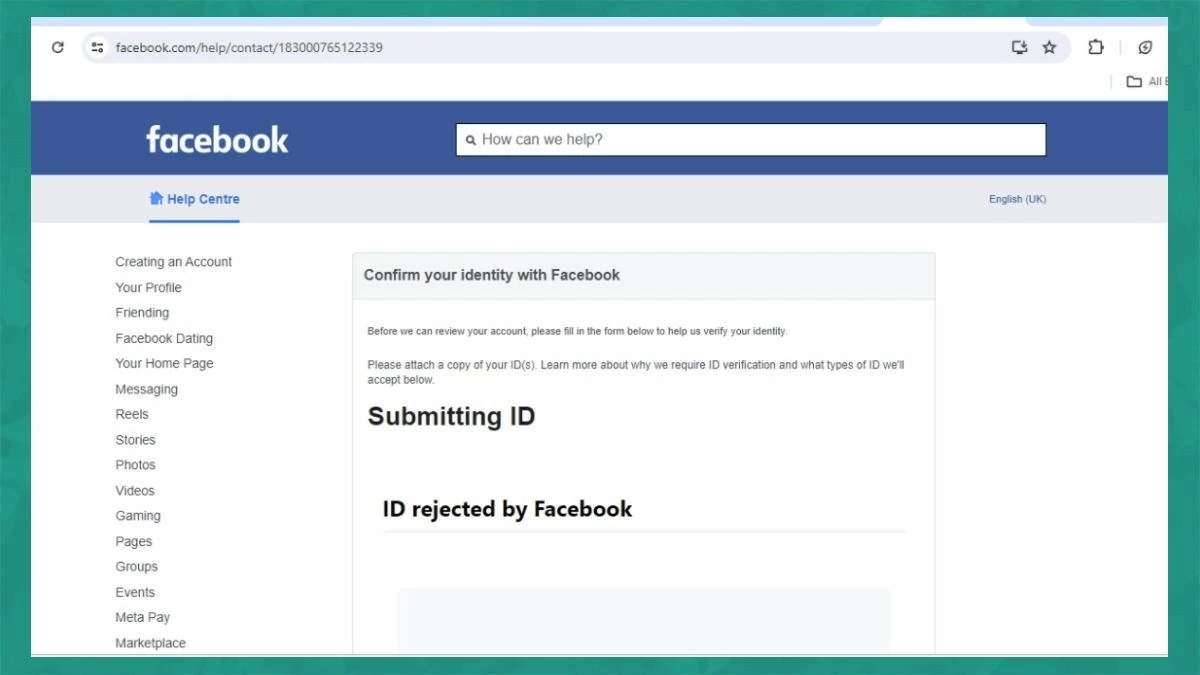
If you violate community guidelines, your account may be permanently banned. However, you can still recover your account by following these three steps:
Step 1: First, access the link https://www.facebook.com/help/contact/183000765122339 to request support from Facebook.
 |
Step 2: Prepare photos of your personal documents such as your Citizen Identification Card, driver's license, or a portrait photo. Then, click "Select file" to upload.
 |
Step 3: Enter your email or phone number and click "Submit" to complete the process. If your request is approved by Facebook, your Facebook account will be restored.
 |
Note: This method of recovering a Facebook account only applies to accounts registered with an email address, phone number, and a genuine profile picture. If these conditions are not met, the chances of recovering your account are very low.
How to recover your Facebook account using your ID card effectively
If you lose or forget your Facebook account password, you can use your ID card to recover it. After taking photos of both sides of your ID card and a portrait photo, follow the steps below:
Step 1: Access the password recovery support page on Facebook, or go to this link: https://www.facebook.com/help/contact/183000765122339.
 |
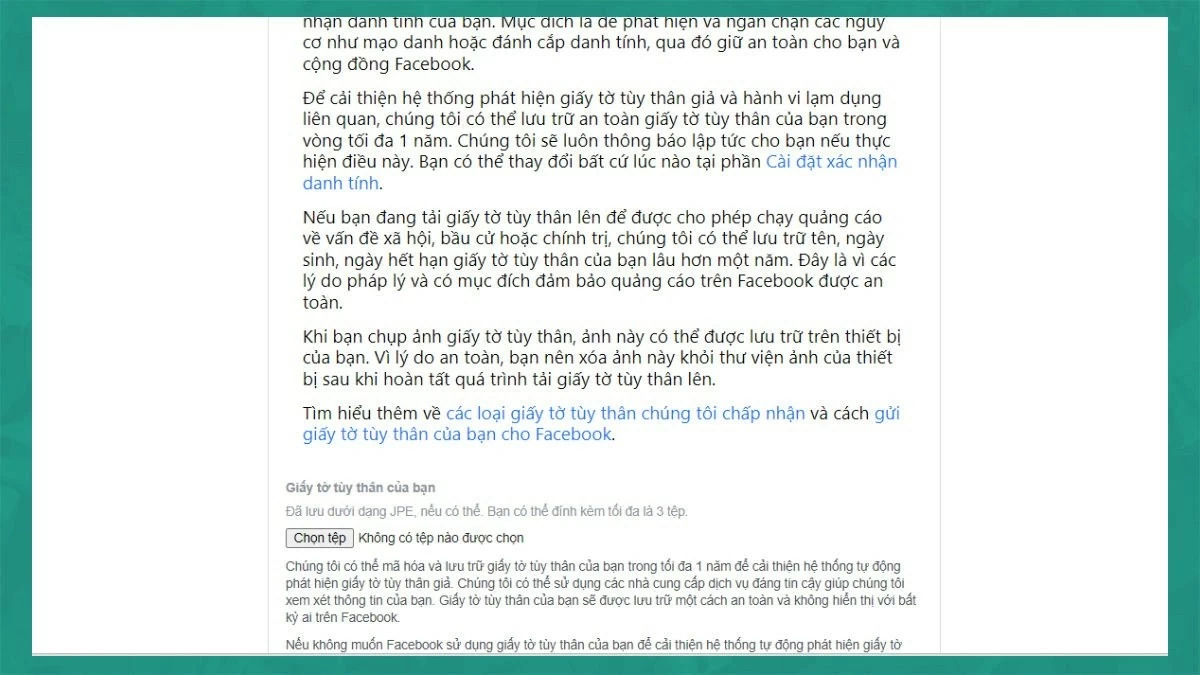
Step 2: Upload a photo of your ID card (CMND) to the required section. Then, enter your email address or phone number.



 |
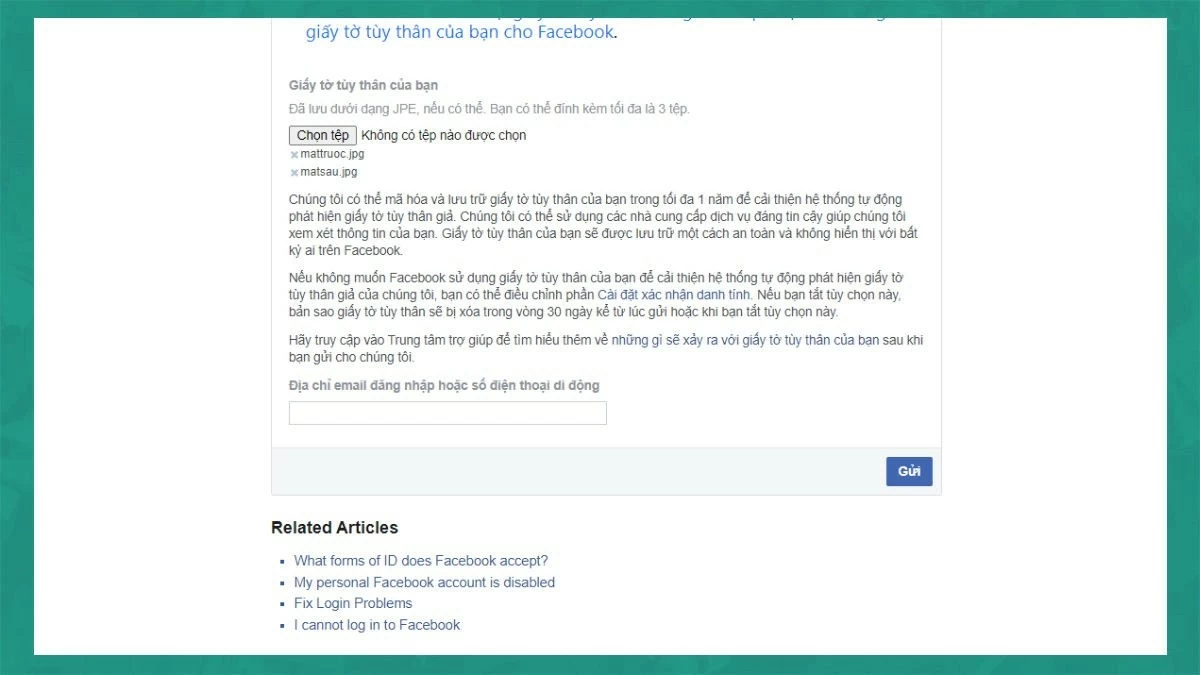
Step 3: Click "Submit" in the upper right corner of the screen and wait for Facebook to process your request. You will receive a notification about account recovery within 30 days of submitting the information.
 |
Note: Ensure the photos are clear and not cropped to ensure a quick processing time.
Guide to easily recovering your forgotten Facebook password.
If you forget your password and can't log into your Facebook account, follow these steps to recover your account:
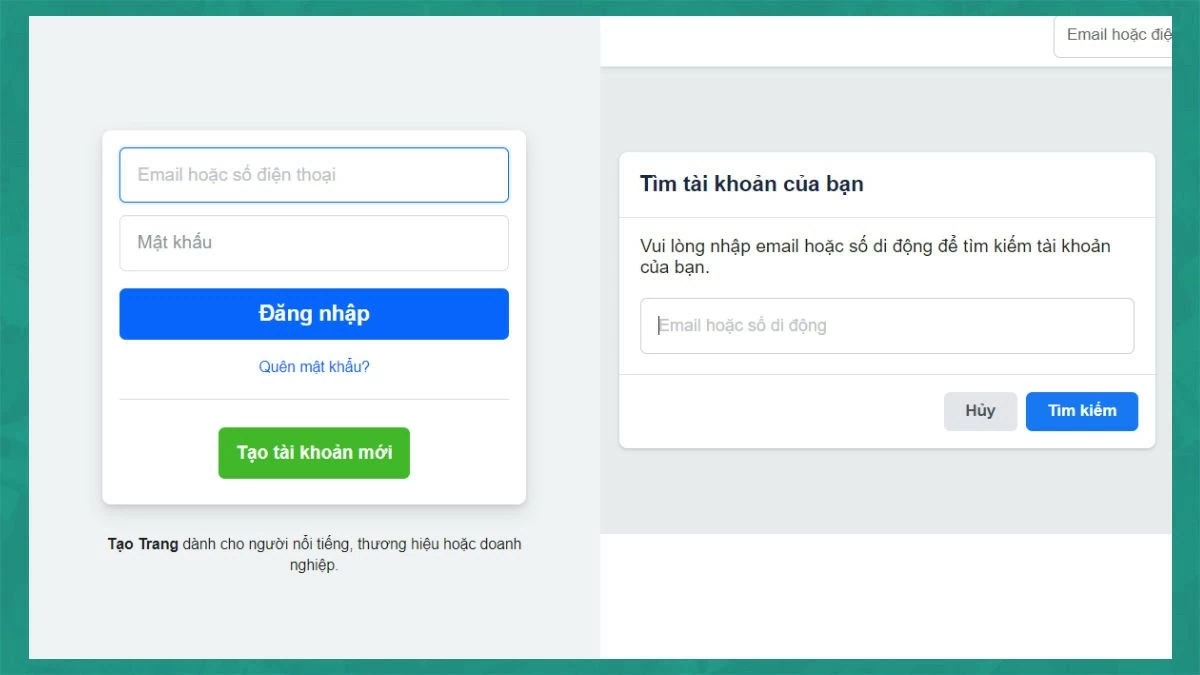
Step 1: On the Facebook login screen, click the "Forgot password" link. Then, enter the phone number or email address you used to register your account and click "Continue".
 |
Step 2: Facebook will then display your account. Click "Try another way," then choose a method to receive the verification code and click "Continue."
 |
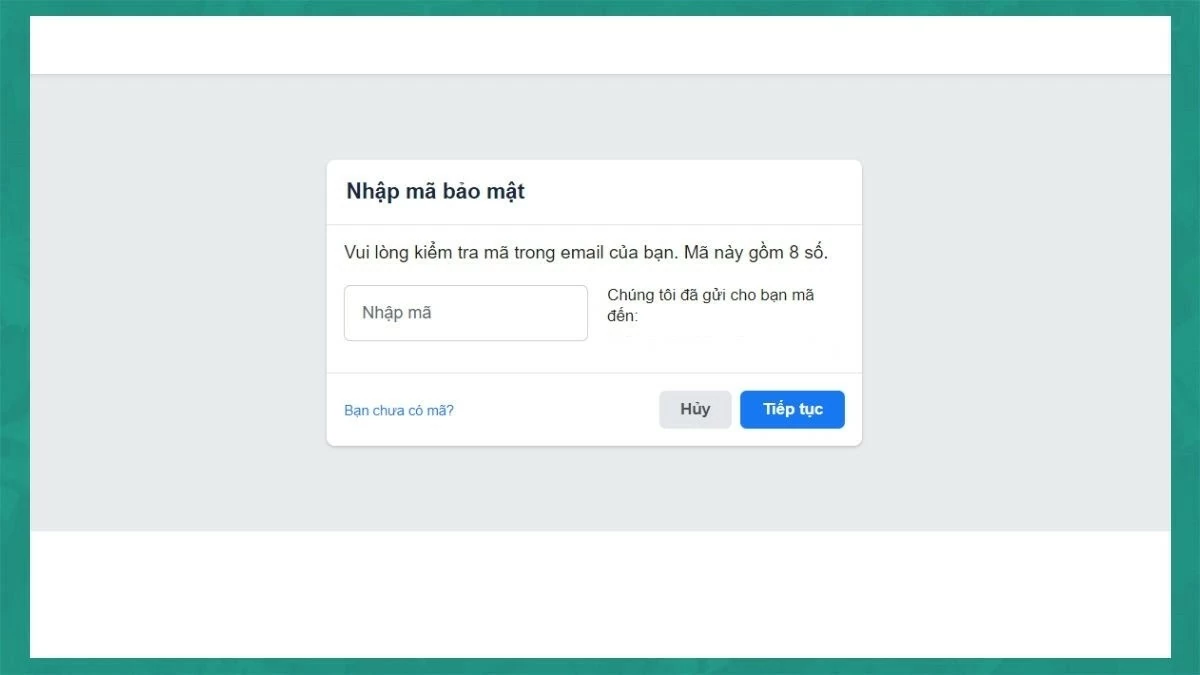
Step 3: A verification code will be sent to your email or phone number. Retrieve the code and enter it into the blank field, then click "Continue".
 |
Step 4: Create a new password and click "Continue" to complete the process. Now you can log in to your Facebook account.
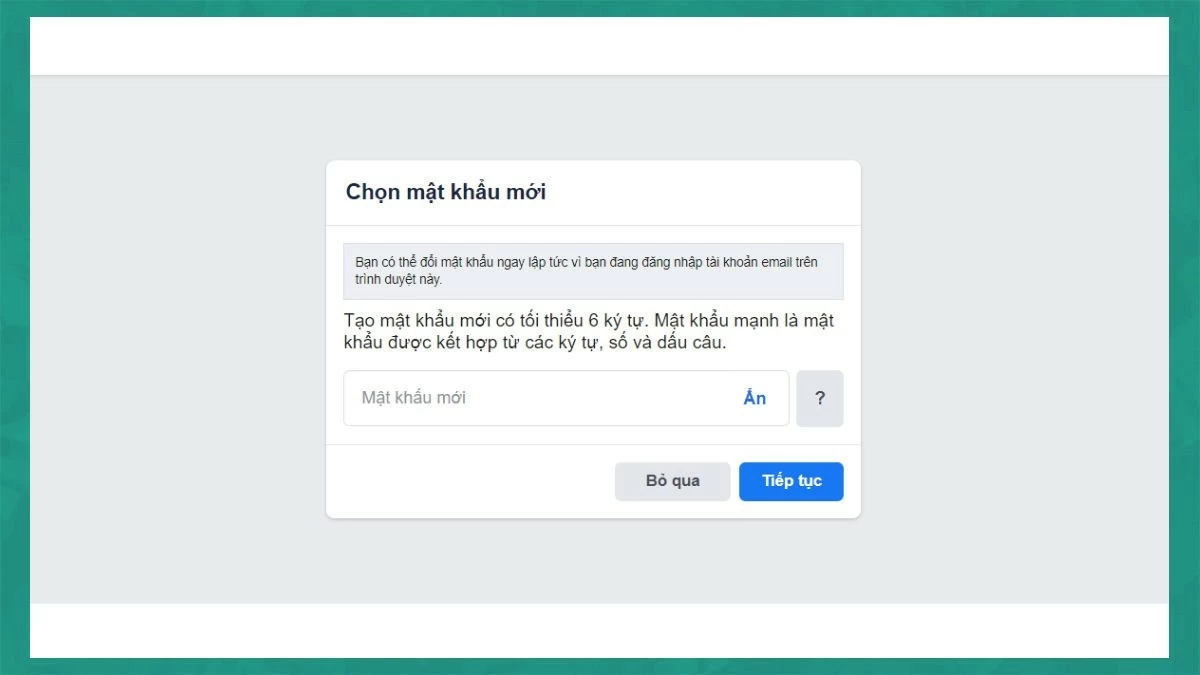 |
Instructions on how to recover your Facebook account when you can't log in.
If you are unable to log in to Facebook, follow these steps to recover your account:
Step 1: First, go to facebook.com/login/identify and enter the phone number or email address you used to register your account in the "Find account" field.
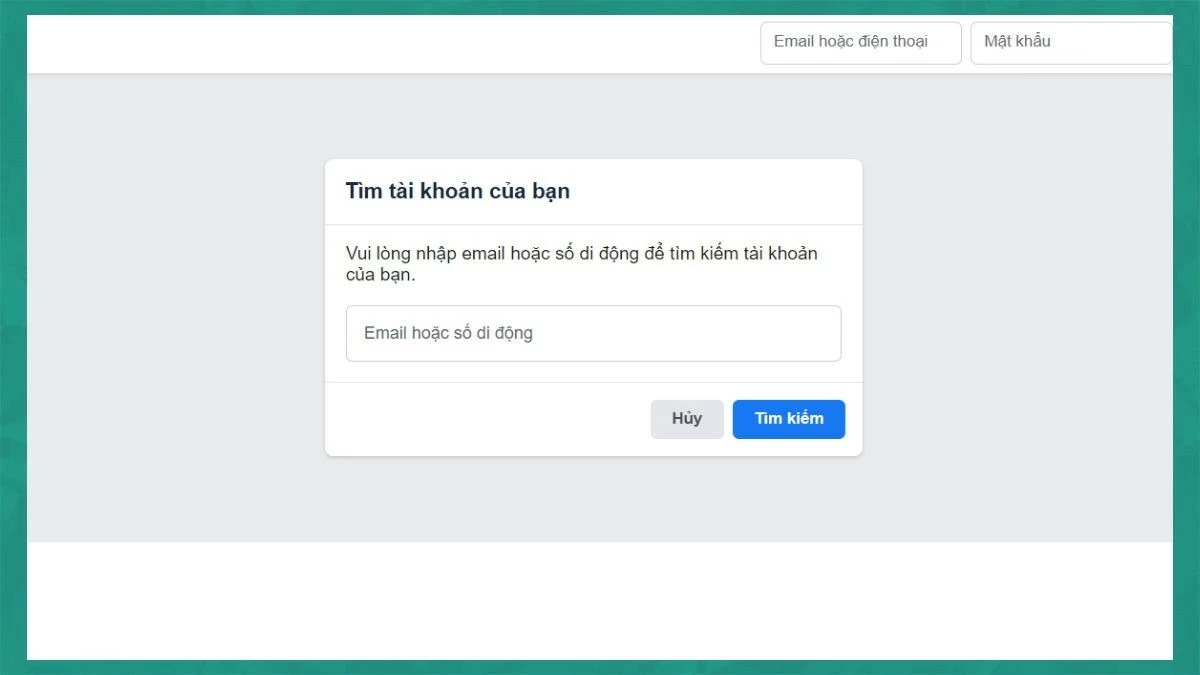 |
Step 2: Click "Continue".
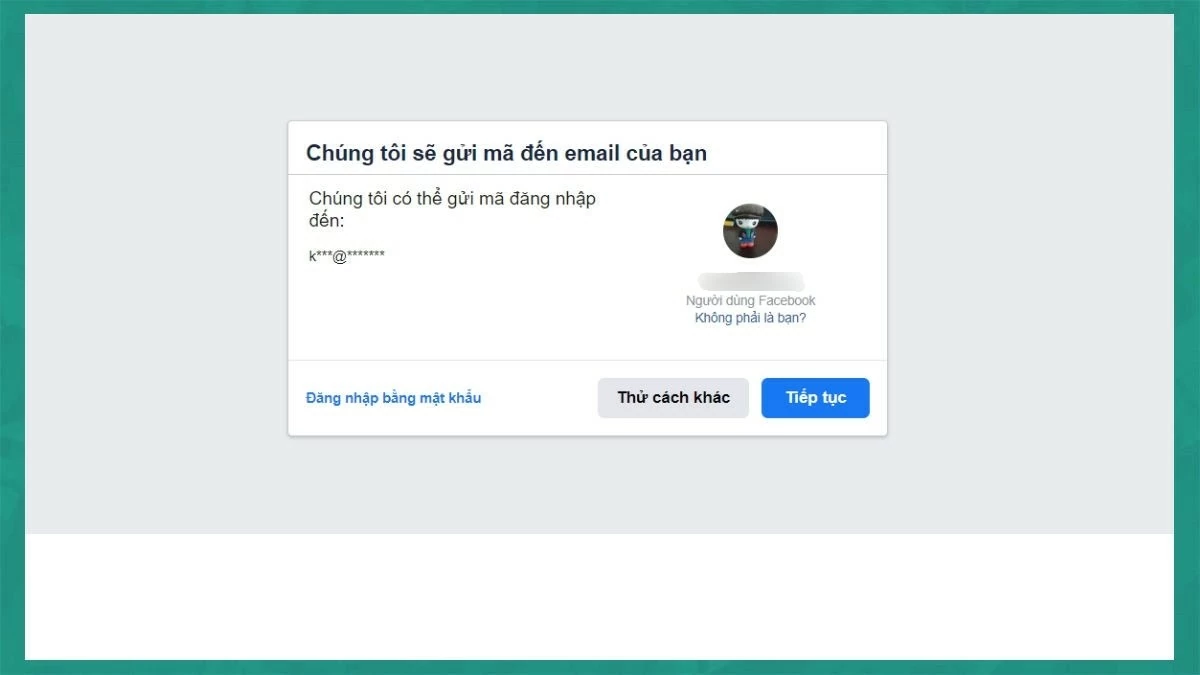 |
Step 3: A verification code will be sent to your email or phone number. Enter the code in the blank field, click "Continue," and create a new password to complete account recovery.
 |
Instructions on how to quickly recover a disabled Facebook account.
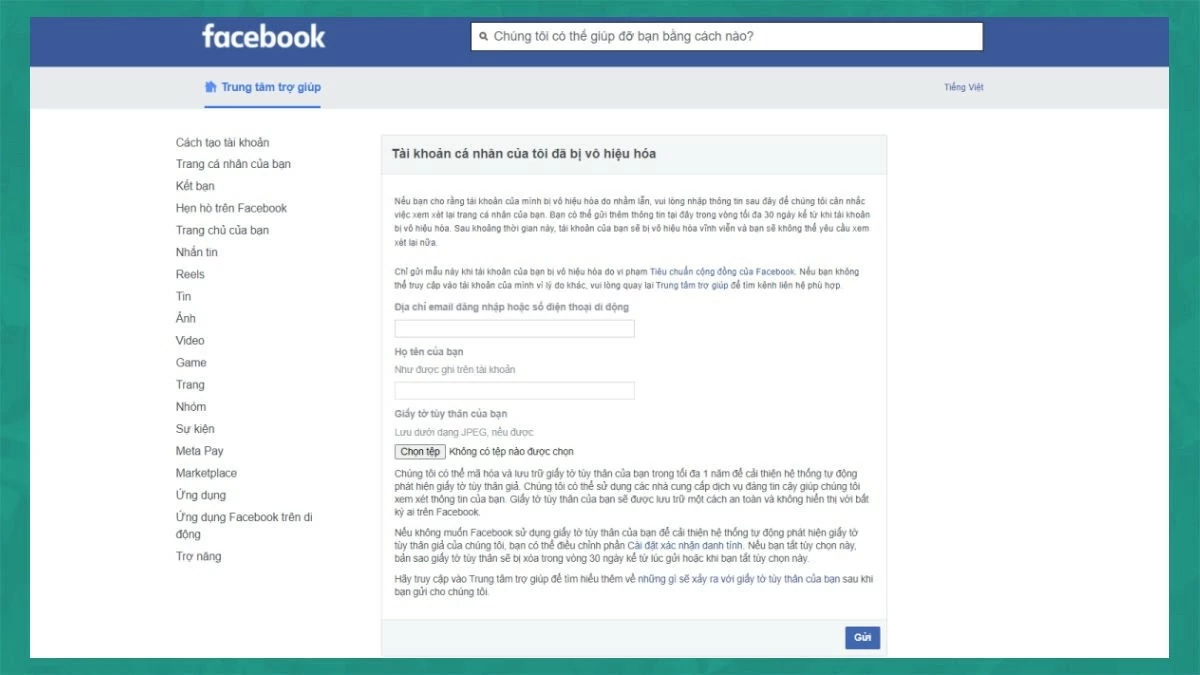
To recover a disabled Facebook account, you just need to follow a few simple steps and wait for a response from Facebook.
Specifically, go to the link https://www.facebook.com/help/contact/260749603972907. Then, fill in all the information such as your login email address, phone number, and full name. Next, upload an identification document such as a citizen identification card or passport and click "Submit".
 |
How to easily recover your Facebook account when you've forgotten your login name.
If you forget your username but still remember your password, you can ask a friend for help. Follow these steps:
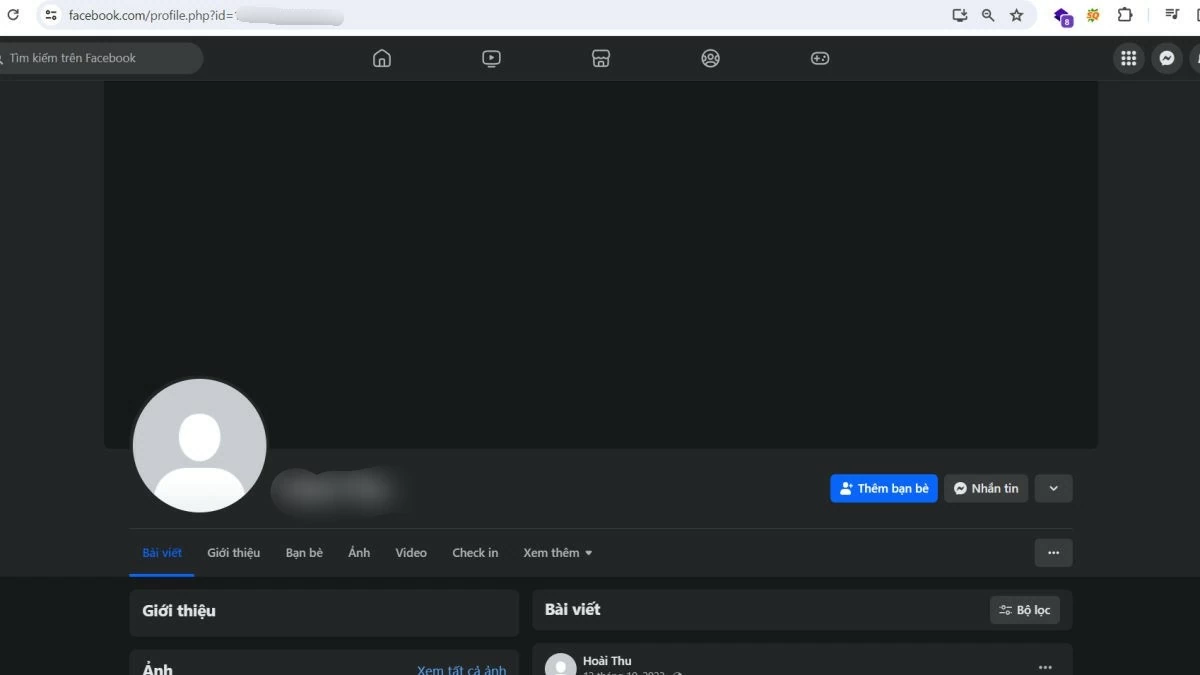
Step 1: Ask a friend or someone you're friends with on Facebook to access your profile, copy your Facebook ID, and send it back to you.
 |



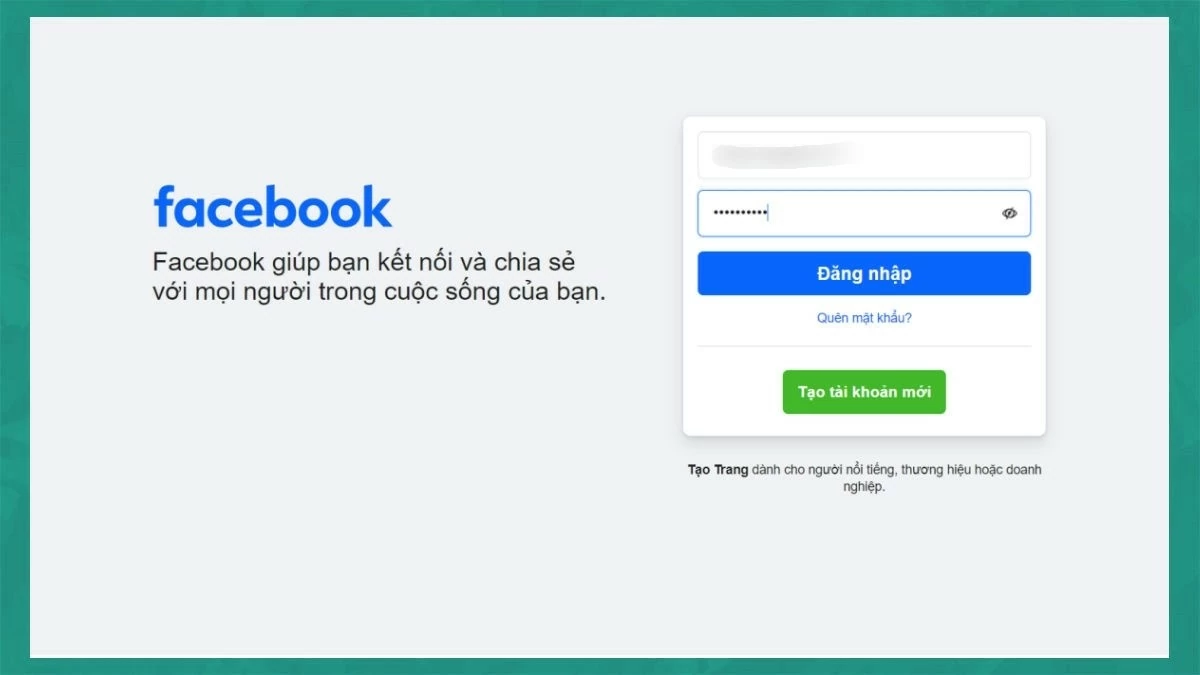
Step 2: Paste your Facebook ID into the username field, then enter your password and click "Log in" to access your account.
 |
How to recover a Facebook account that has been flagged for violating community standards.
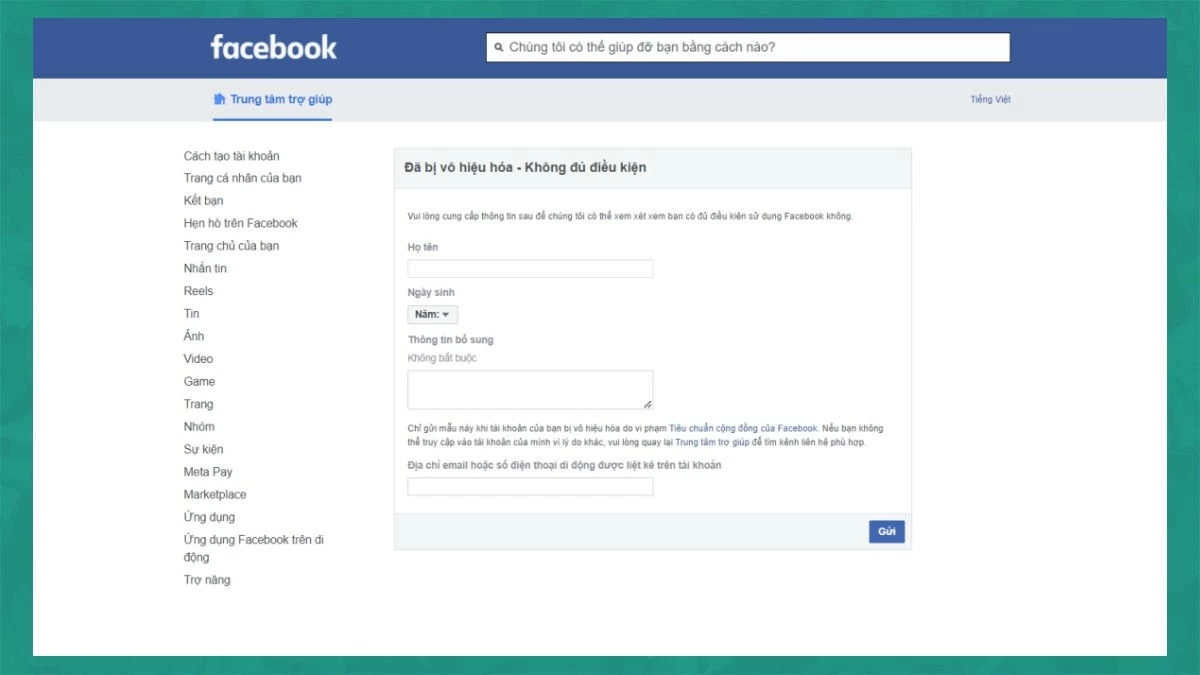
If your Facebook account is suspended for violating community standards, but you believe you did not violate them, you can appeal by following these steps:
Access the link https://www.facebook.com/help/contact/317389574998690 and fill in all the required information, including your full name, date of birth, reason for complaint, and proof that you have not violated Facebook's regulations. After filling in the information, click "Submit" to complete the appeal process.
 |
If your account is locked due to a violation, you need to fill out the relevant information and submit a request for Facebook to review and restore your account.
How to recover a Facebook account that has been reported as underage.
If your Facebook account is disabled because it was reported as underage (under 13 years old), you may experience temporary or permanent account suspension. Using Facebook before the age of 13 violates the social network's policies. To restore your account, you can follow the steps to recover an account reported for violating community standards, as instructed above.
Contact Facebook Support to recover your account.
Another effective way to recover your account is to contact Facebook Support directly. You can message them to describe your account situation. The support team will provide specific instructions to help you recover your account.
 |
Note: The methods above help you recover your account if you forget your password or username. However, if your account has been deleted by Facebook, you will need to wait for a response from Facebook's support team to proceed with recovery.
Above are 10 of the most effective ways to recover your Facebook account. Apply one of these recovery methods if your account is hacked, disabled, or stolen.
Source